Drag to rotate · Scroll to zoom · Right-click to pan
1 / 3
⬡model
⬡planklabel
⬡text
Description
# Plank Label
> A parametric 3D-printable plant label with embossed text, designed to clip onto garden bed planks or stakes.
## Description
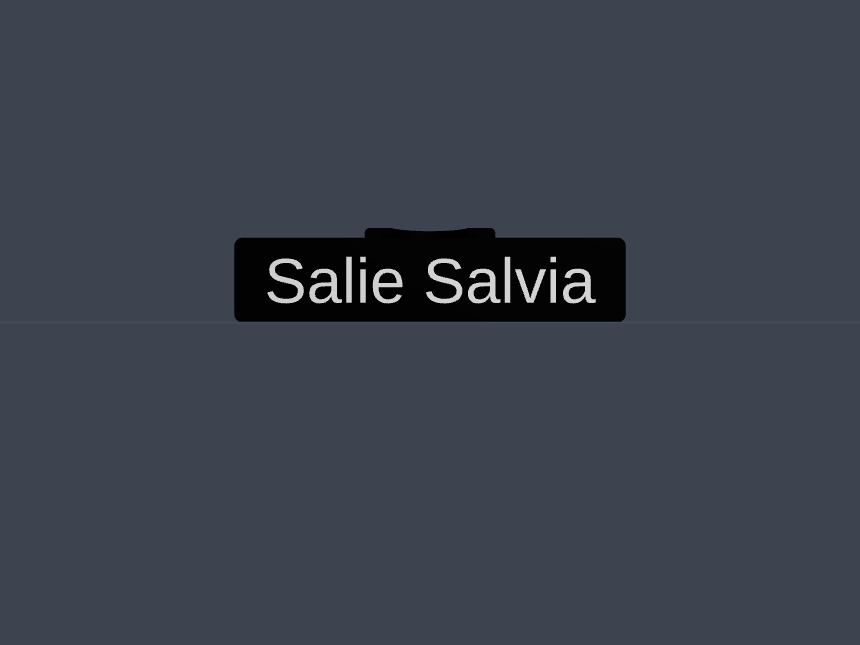
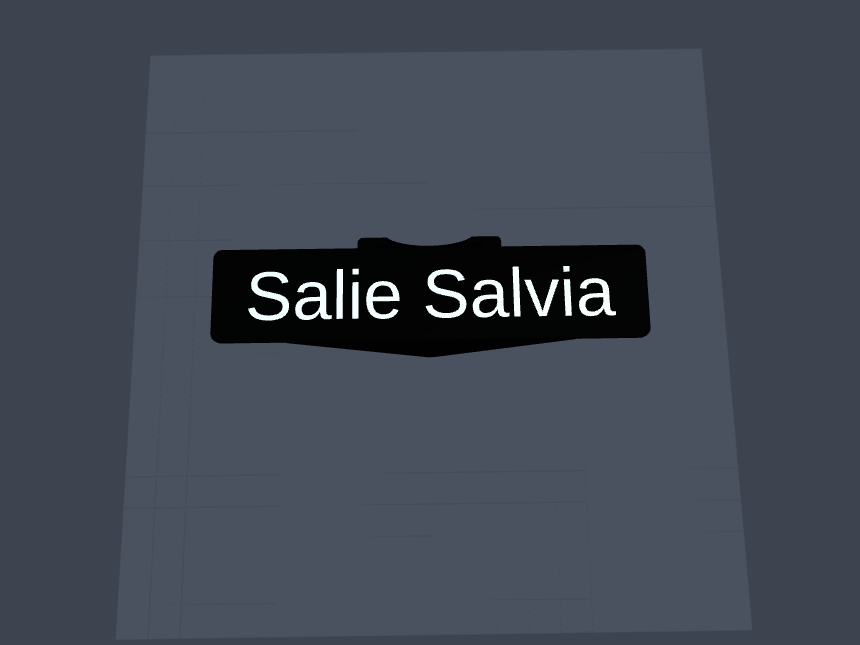
Plank Label generates a sturdy clip-on plant marker that attaches to the edge of a wooden plank or garden stake. It consists of two angled side wings, a flat top plate, and a clamping piece, with the plant name embossed directly into the top surface. The label text is fully configurable via a runtime parameter, making it easy to produce a complete batch of labelled markers for an entire herb or vegetable garden in one go.
## Files
| File | Description |
|------|-------------|
| `planklabel.py` | PythonSCAD source file |
| `label.3mf` | Ready-to-print label with default text |
| `planklabel.3mf` | Combined 3MF with all parts on the build plate |
| `README.md` | This file |
## Requirements
### Runtime
- [PythonSCAD](https://pythonscad.org/) (OpenSCAD with Python scripting support)
- Python 3.8+
### Python Dependencies
Only Python standard library modules are used directly (`os`, `shutil`) and indirectly via `mhlib` (`math`, `pathlib`, `json`, `sys`, `gc`, `dataclasses`, `datetime`, `typing`) — **no pip installation needed.**
### Custom Libraries (by author)
| Library | Description |
|---------|-------------|
| `mhlib` | Core utility library providing geometry helpers (`plate`, `triangle`, `diff`, `spread_on_plate`, etc.), parameter loading (`loadParams`, `getParam`), and PythonSCAD convenience wrappers. Published separately by the author. |
## Configuration
The following parameters can be adjusted at the top of `planklabel.py` or passed via `params_str` at runtime:
| Parameter | Default | Description |
|-----------|---------|-------------|
| `label` | `"Salie Salvia"` | Text to emboss on the label surface |
| `run` | `"all"` | Which part to render: `"all"`, `"label"`, or `"text"` |
| `batch` | `0` | Set to `"1"` to enable batch mode: exports and renames the 3MF to the label text |
| `xPlank` | `120` | Width of the label top plate (mm) |
| `yPlank` | `22` | Depth of the label top plate (mm) |
| `wall` | `2` | Wall thickness (mm) |
| `zVleugel` | `50` | Height of the side wings (mm) |
| `xVleugel` | `80` | Width of the side wings (mm) |
| `xCM` | `40` | Width of the clamp piece (mm) |
| `yCM` | `5` | Depth of the clamp piece (mm) |
| `zCM` | `20` | Height of the clamp piece (mm) |
| `plateSpacing` | `100` | Spacing between parts on the build plate (mm) |
| `fn` | `128` | OpenSCAD arc resolution |
## Functions
### `zijde(r=90)`
Generates one angled side wing of the label. The wing is a triangular plate rotated around the X axis to create the clamping angle.
**Parameters**
| Name | Type | Default | Description |
|------|------|---------|-------------|
| `r` | `float` | `90` | Rotation angle around X axis (degrees). Values slightly above/below 90 create the inward clamp angle. |
**Returns:** A triangular wing solid, rotated and positioned at Z=0.
---
### `top()`
Generates the flat rectangular top plate that connects the two side wings and carries the embossed label text.
**Returns:** A rectangular plate solid (`xPlank` × `yPlank + 2*wall` × `wall`).
---
### `cmKlem()`
Generates the clamp piece that grips the garden plank or stake. A slot and a cylindrical cutout are subtracted from the block to create the spring-clip clamping geometry.
**Returns:** A rectangular block with a slot and cylinder subtracted, forming a spring-clip clamp.
---
### `print_label()`
Assembles the complete label: two side wings, the top plate, and the clamp piece, with the text embossed into the surface via boolean subtraction.
**Returns:** The full assembled label solid, ready to print.
---
### `print_text(txt=label, size=14, h=1)`
Generates the embossed text geometry used to subtract lettering from the label surface.
**Parameters**
| Name | Type | Default | Description |
|------|------|---------|-------------|
| `txt` | `str` | `label` (runtime param) | The text string to render |
| `size` | `float` | `14` | Font size (mm) |
| `h` | `float` | `1` | Extrusion depth of the text (mm) |
**Returns:** A linearly extruded text solid, coloured red for preview visibility, rotated for top-surface subtraction.
---
## Usage
```python
# Render with default label text
# Open planklabel.py in PythonSCAD and press F5/F6.
# Change the label text at runtime:
params_str = "label=Basilicum Ocimum"
# Batch mode — exports and renames the 3MF to the label text:
params_str = "label=Rozemarijn;batch=1"
```
1. Open `planklabel.py` in PythonSCAD.
2. Set the `label` parameter to the desired plant name via `params_str` or by editing the default in the file.
3. Press **F5** for a quick preview or **F6** for a full render.
4. In non-preview mode, the `.3mf` is automatically exported to `~/pyscad_drawings/slicer_files/planklabel/`.
5. For a full batch of labels, set `batch=1` — each export is automatically renamed to the label text.
## License
This design is released into the public domain under the [Creative Commons Zero v1.0 Universal (CC0 1.0)](https://creativecommons.org/publicdomain/zero/1.0/) license.
You may copy, modify, distribute, and use this work for any purpose, including commercial use, without asking permission or giving credit.
💬 Discussion 0 comments