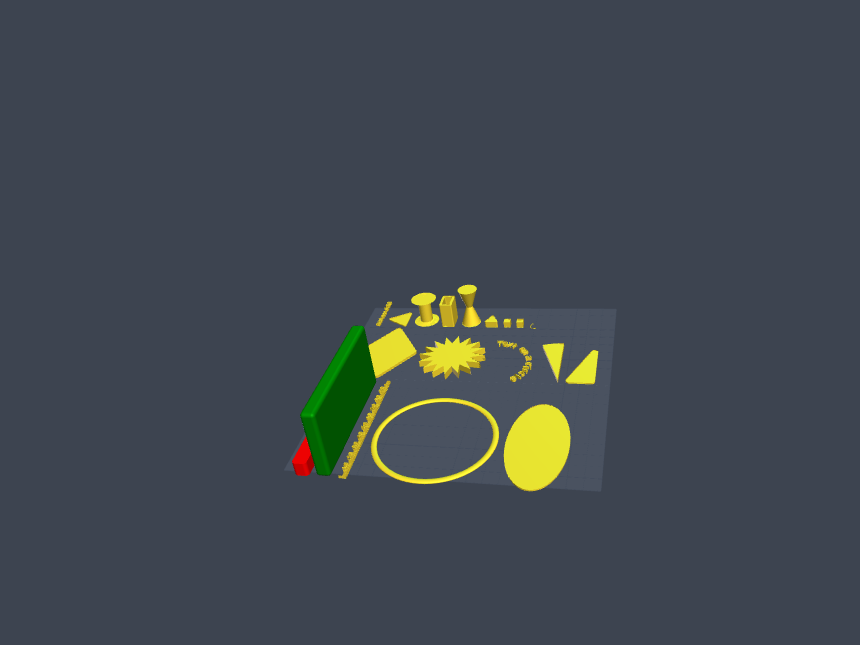
Description
# mhlib cheatsheet
## 📦 Import
```python
from mhlib import *
```
---
## 🔧 Transformation Functions
### Translation (Move)
```python
mvx(object, x) # Move along X-axis
mvy(object, y) # Move along Y-axis
mvz(object, z) # Move along Z-axis
mv(object, x, y, z) # Move in 3D space
```
### Rotation
```python
rotx(object, degrees) # Rotate around X-axis
roty(object, degrees) # Rotate around Y-axis
rotz(object, degrees) # Rotate around Z-axis
rot(object, x, y, z) # Rotate around all axes
```
---
## 🎨 Basic Shapes
### Tube
```python
tube(height=10, dia=10, wall=1)
# height = height of tube
# dia = outer diameter
# wall = wall thickness
```
---
## 📐 2D Shapes (with height)
### Plate / Rectangle
```python
plate(s1=10, s2=None, height=1, point_dia=0.2,
point_shape="cylinder", center=True)
# s1 = width (if s2=None, creates a square)
# s2 = length
# height = extrusion height
# point_dia = corner rounding diameter
# point_shape = "cylinder" or "sphere"
# center = centered at origin
```
### Triangle
```python
triangle(s1=10, s2=None, s3=None, height=1,
point_dia=0.2, point_shape="cylinder", is_right=False)
# Equilateral: triangle(10)
# Isosceles: triangle(10, s2=15)
# Right-angled: triangle(10, 20, is_right=True)
# Arbitrary: triangle(10, 15, 18)
```
### Diamond / Rhombus
```python
diamond(xdia, ydia, point_dia=0.2,
point_shape="cylinder", height=1)
# xdia = diagonal along X-axis
# ydia = diagonal along Y-axis
diamond(40, 60, height=2)
```
### Ellipse / Oval
```python
ellipse(xdia, ydia, resolution=64,
point_dia=0.2, point_shape="cylinder", height=1)
# xdia = diameter along X-axis
# ydia = diameter along Y-axis
ellipse(40, 80, resolution=128, height=3)
```
### N-gon (Polygon)
```python
ngon(sides=5, dia=10, point_dia=0.2,
point_shape="cylinder", height=1)
# sides = number of sides
# dia = diameter (circumscribed circle)
ngon(6, 20, height=2) # Hexagon
ngon(8, 15, height=3) # Octagon
```
### Star
```python
star(sides=5, outer_dia=30, inner_dia=20, height=1)
# sides = number of points
# outer_dia = outer diameter
# inner_dia = inner diameter
star(5, 30, 15, 5) # 5-pointed star
star(8, 40, 25, 3) # 8-pointed star
```
---
## 🎯 Point Class & Custom Shapes
### Point Definition
```python
Point(x, y, z=0, point_shape=None, point_dia=None, height=None)
```
### Helper Functions for Points
```python
# Diamond points
_generate_diamond_points(xdia, ydia)
# Ellipse points
_generate_ellipse_points(xdia, ydia, resolution=64)
# Regular polygon points
_generate_regular_polygon_points(sides, dia)
# Star points
_generate_star_points(points_n, outer_dia, inner_dia)
```
### Creating Custom Shapes
```python
# 1. Define points
points = [
Point(x=0, y=0),
Point(x=10, y=0),
Point(x=5, y=10)
]
# 2. Convert to full points with properties
full_points = createPoints(
z=0,
point_dia=0.2,
height=5,
point_shape="cylinder",
p=points
)
# 3. Create shape using hull
shape = createEnclosure(full_points)
show(shape)
```
---
## ⚙️ Parameters (JSON Configuration)
```python
# Load parameters from JSON string
loadParams(params_str='{"width":10,"height":20}', verbose=False)
# Retrieve parameter with default fallback
width = getParam('width', default=10)
height = getParam('height', default=20)
```
**Command line usage:**
```bash
pythonscad -D'params={"width":30,"height":50}' script.py
```
---
## 📊 Default Constants
```python
POINT_SHAPE = "cylinder" # Default shape: "cylinder" or "sphere"
POINT_DIA = 0.2 # Default diameter for corner rounding
POINT_HEIGHT = 1 # Default height
```
---
## 💡 Practical Examples
### Simple Shapes
```python
# Rounded square plate
show(plate(50, height=10, point_dia=5))
# Right-angled triangle
show(triangle(40, 30, height=5, is_right=True))
# 8-pointed star
show(star(8, 50, 30, 5))
# Hollow tube
show(tube(height=20, dia=15, wall=2))
```
### Combined Transformations
```python
# Create, rotate, and move a shape
shape = triangle(20, height=5)
shape = rotz(shape, 45)
shape = mv(shape, 10, 20, 5)
show(shape)
```
### Custom Shape with Specific Points
```python
# Trapezoid example
points = [
Point(x=-20, y=0),
Point(x=20, y=0),
Point(x=15, y=30),
Point(x=-15, y=30)
]
pts = createPoints(p=points, point_dia=1, height=5)
show(createEnclosure(pts))
```
### Using Parameters
```python
# Load configuration
loadParams('{"size":50,"thickness":3}')
# Use parameters in design
size = getParam('size', 30)
thickness = getParam('thickness', 2)
show(plate(size, height=thickness))
```
---
## 🎨 Tips & Tricks
1. **Corner Rounding:**
- Smaller `point_dia` = sharper corners
- Larger `point_dia` = more rounded corners
2. **Point Shape Options:**
- `"cylinder"` or `"c"` = rounded only at top/bottom edges
- `"sphere"` = fully rounded corners in all directions
3. **Resolution for Curves:**
- Higher `resolution` for ellipse = smoother curve (but slower rendering)
- Default 64 is usually sufficient
4. **Center Parameter:**
- `center=True` (default) = shape centered at origin
- `center=False` = shape positioned from origin point
5. **Star Inner/Outer Ratio:**
- Smaller `inner_dia` relative to `outer_dia` = sharper star points
- Similar values = flatter star shape
---
## 📝 Important Notes
- **Units:** All dimensions are in millimeters (OpenSCAD default)
- **Height Parameter:** Determines Z-extrusion of 2D shapes into 3D
- **Hull Operations:** Library uses `hull()` to create smooth rounded corners
- **Rendering:** Use `show()` to display shapes in OpenSCAD
- **Combining Shapes:** Compatible with standard OpenSCAD operations:
- `union()` - combine shapes
- `difference()` - subtract shapes
- `intersection()` - intersect shapes
---
## 🔄 Function Parameter Quick Reference
| Function | Primary Params | Optional Params |
| --- | --- | --- |
| `plate()` | `s1`, `s2` | `height`, `point_dia`, `point_shape`, `center` |
| `triangle()` | `s1`, `s2`, `s3` | `height`, `point_dia`, `point_shape`, `is_right` |
| `diamond()` | `xdia`, `ydia` | `height`, `point_dia`, `point_shape` |
| `ellipse()` | `xdia`, `ydia` | `resolution`, `height`, `point_dia`, `point_shape` |
| `ngon()` | `sides`, `dia` | `height`, `point_dia`, `point_shape` |
| `star()` | `sides`, `outer_dia`, `inner_dia` | `height` |
| `tube()` | `height`, `dia`, `wall` | \- |
---
## 🚀 Getting Started
```python
from mhlib import *
# Simple example: rounded rectangular plate
show(plate(50, 30, height=5, point_dia=3))
# More complex: star with transformations
my_star = star(6, 40, 20, 3)
my_star = rotz(my_star, 30)
my_star = mvz(my_star, 10)
show(my_star)
```

💬 Discussion 0 comments